
With webhooks, FlowModels tells you about events on its own, instead of your application having to keep asking. Typical cases are a response that has finished in the background or a credit warning. To do this, we send a signed request to an address of your choice.
Create a webhook
- Open Webhooks in the dashboard.
- Click Add webhook.
- Under Address, enter the URL of your receiver. It must be reachable over https and must not point to an internal target.
- Under Events, select at least one event.
- Optional: Enter a Description so you know later what the address is for.
- Click Save.
Right after that, we show you Your signing secret. Copy it right away and store it in your application, because it's shown exactly once. Close the window with I have copied it. Up to 10 addresses are possible per team.
The events
response.completed,response.failed,response.cancelled,response.incomplete: A response started in the background has finished, failed, been cancelled or ended incomplete.credit.threshold: One of your warning thresholds has been reached.credit.topup_failed: An automatic top-up has failed.webhook_endpoint.deactivated: A webhook address was switched off after repeated failures.webhook.test: A test delivery that you trigger yourself.
Check deliveries
Each delivery carries the headers webhook-id, webhook-timestamp and webhook-signature. With your signing secret, your application verifies that the message really comes from us and wasn't altered on the way. Verify the webhook signature explains exactly how the verification works.
The webhook list
The list shows each address's Events, Status, Consecutive failures and Last delivery. On the right under Actions, you'll find:
- Open delivery log: all deliveries to this address
- Send test delivery: sends a
webhook.testevent, ideal after setting up - Edit webhook: change the address, events and description
- Rotate secret: generate a new secret
- Deactivate webhook and Reactivate webhook
- Delete webhook: permanently removes the address and its delivery log
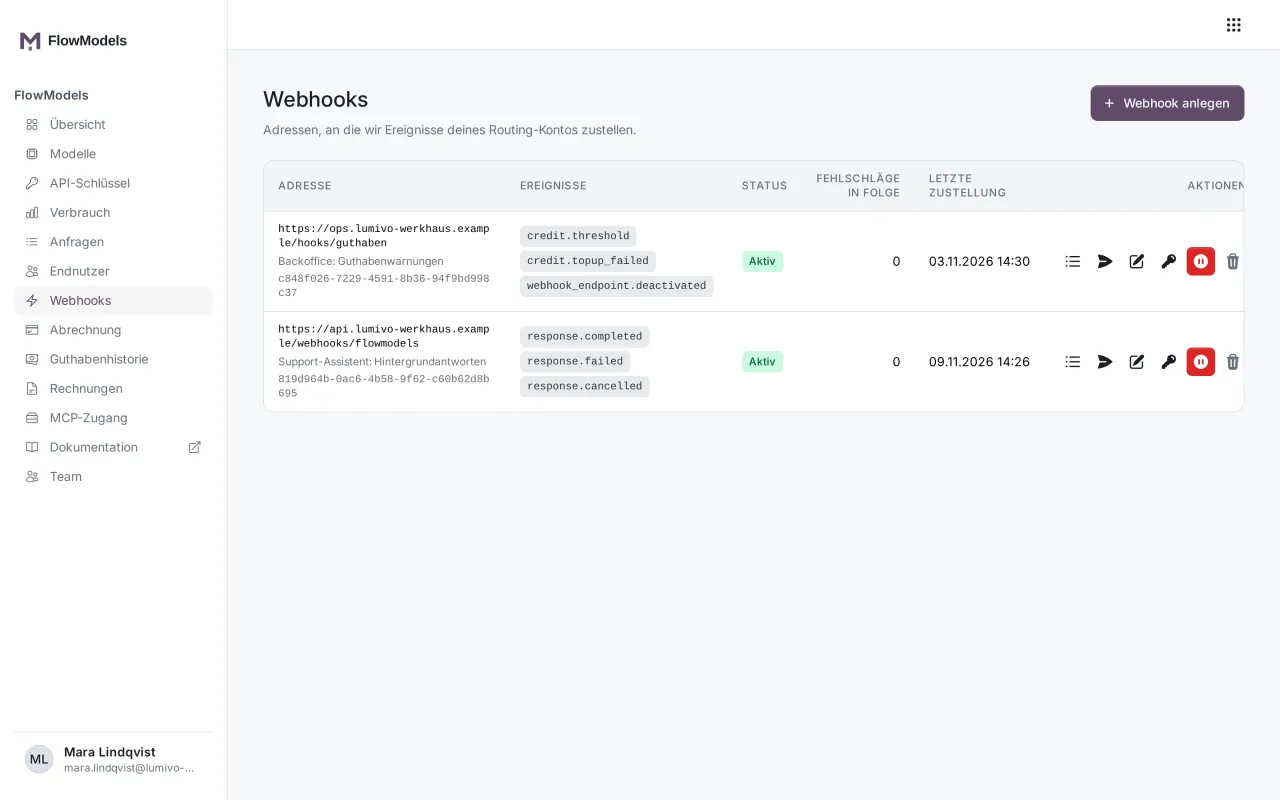
The delivery log
The Delivery log shows each delivery with Time, Identifier, Event, Status, number of Attempts, your server's HTTP code and Finished. The log deliberately doesn't show the transmitted content.
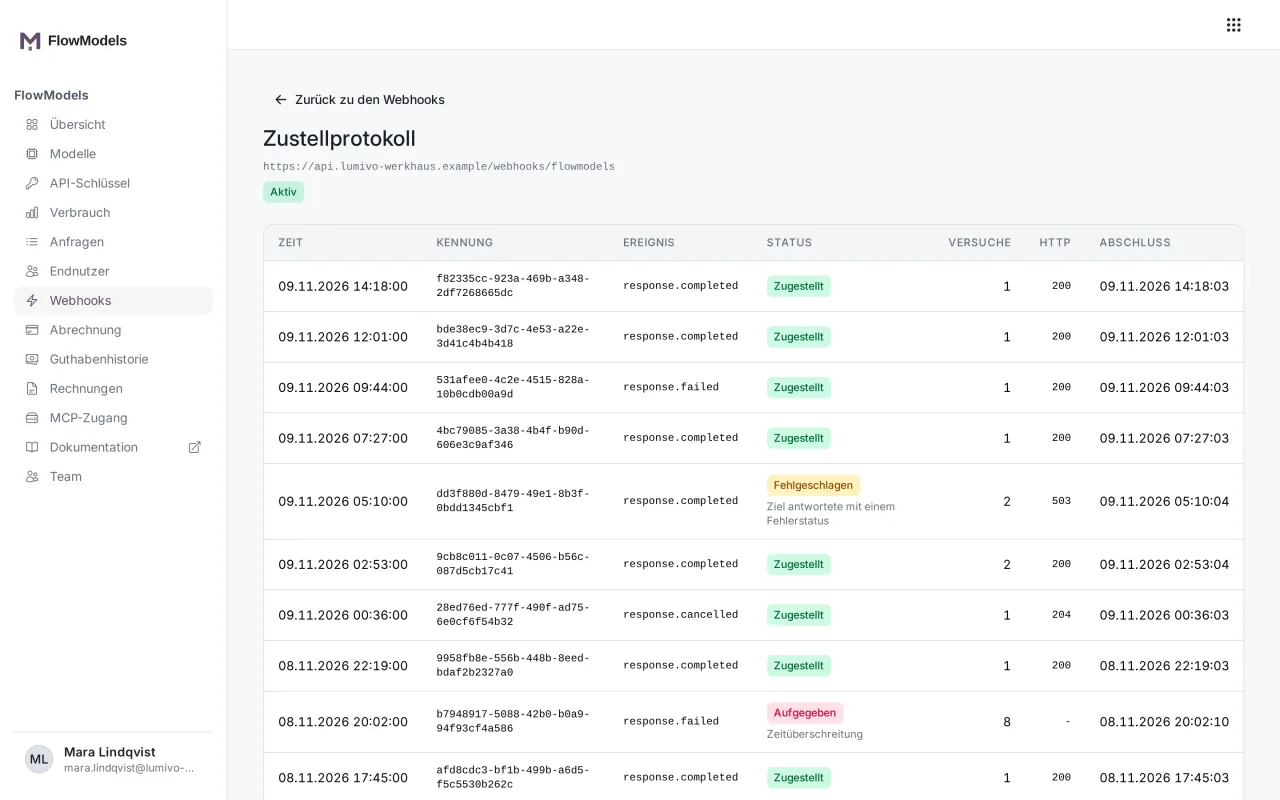
If your server doesn't respond with a success code, we try again, with increasing intervals from about one minute up to one hour and up to five times in total. The statuses mean:
- Open: The delivery is still waiting.
- Delivered: Your server responded successfully.
- Failed: The last attempt went wrong, another attempt will follow.
- Given up: All attempts have failed.
Rotate the secret
Click Rotate secret and confirm. You're shown a new secret, again only once. The previous secret keeps signing for 24 hours, so you can roll out the change without losing any deliveries. During this time, the list shows Previous secret valid until …. Once you've entered the new secret everywhere, you can immediately invalidate the old one with Finish rotation.
If something goes wrong
- Deactivated, "Deactivated automatically after repeated failures": After five permanently failed deliveries in a row, we switch off the address and notify you. Fix the problem on your server, click Reactivate webhook and send a Test delivery.
- Maximum reached: The limit is 10 addresses. Delete an address you no longer need.
- Address is rejected: Check that it starts with
https://and is publicly reachable.