
Every FlowModels webhook is signed. Your server should verify this signature before processing a delivery. Only then do you know that the message really comes from us and wasn't altered on the way. Here you'll find the procedure and ready-made verification code for PHP, Node.js and Python.
What is sent along
Each delivery is a POST with JSON and these three headers:
webhook-id: the unique identifier of the delivery. It stays the same across retries.webhook-timestamp: the time of the signature in Unix secondswebhook-signature: the signature in the formatv1,<Base64>
The body always has the fields id, type, created_at and data. For response.* events, data contains only the job's id and status. You then fetch the result yourself with GET /v1/responses/{id}.
How signing works
- We build the text
{webhook-id}.{webhook-timestamp}.{body}, with periods in between and the unaltered body of the request. - From that, we calculate an HMAC with SHA-256. The key is your signing secret, exactly the text we showed you.
- The result is Base64-encoded and written to
webhook-signaturewithv1,in front.
Important: Use the secret as plain text. It's a random string of 48 characters and doesn't start with whsec_. Off-the-shelf libraries for "Standard Webhooks" remove a prefix like whsec_, decode the rest as Base64 and use that to calculate the HMAC. With the FlowModels secret, that produces a different signature and verification fails. So use the short verification code below.
Also check the timestamp. We recommend rejecting deliveries whose timestamp differs from your server time by more than five minutes. This protects against replays of intercepted messages.
PHP
<?php
$secret    = getenv('FLOWMODELS_WEBHOOK_SECRET');
$body      = file_get_contents('php://input');
$id        = $_SERVER['HTTP_WEBHOOK_ID'] ?? '';
$timestamp = $_SERVER['HTTP_WEBHOOK_TIMESTAMP'] ?? '';
$header    = $_SERVER['HTTP_WEBHOOK_SIGNATURE'] ?? '';

if (! ctype_digit($timestamp) || abs(time() - (int) $timestamp) > 300) {
    http_response_code(400);
    exit;
}

$expected = 'v1,' . base64_encode(hash_hmac('sha256', "{$id}.{$timestamp}.{$body}", $secret, true));
$valid = false;
foreach (preg_split('/\s+/', trim($header)) as $candidate) {
    if (hash_equals($expected, $candidate)) {
        $valid = true;
        break;
    }
}
if (! $valid) {
    http_response_code(401);
    exit;
}

$event = json_decode($body, true);
// Process the event, for example based on $event['type']
http_response_code(204);
Node.js with Express
import crypto from "node:crypto";
import express from "express";

const app = express();
const secret = process.env.FLOWMODELS_WEBHOOK_SECRET;

app.post("/webhooks/flowmodels", express.raw({ type: "application/json" }), (req, res) => {
  const id = req.get("webhook-id") ?? "";
  const timestamp = req.get("webhook-timestamp") ?? "";
  const header = req.get("webhook-signature") ?? "";

  if (!/^\d+$/.test(timestamp) || Math.abs(Date.now() / 1000 - Number(timestamp)) > 300) {
    return res.sendStatus(400);
  }

  const expected = "v1," + crypto.createHmac("sha256", secret)
    .update(`${id}.${timestamp}.`)
    .update(req.body) // raw body as a Buffer
    .digest("base64");

  const valid = header.split(/\s+/).some((candidate) =>
    candidate.length === expected.length &&
    crypto.timingSafeEqual(Buffer.from(candidate), Buffer.from(expected)));
  if (!valid) return res.sendStatus(401);

  const event = JSON.parse(req.body.toString("utf8"));
  // Process the event
  res.sendStatus(204);
});
Python with Flask
import base64, hashlib, hmac, os, time
from flask import Flask, abort, request

app = Flask(__name__)
SECRET = os.environ["FLOWMODELS_WEBHOOK_SECRET"].encode()

@app.post("/webhooks/flowmodels")
def flowmodels_webhook():
    msg_id = request.headers.get("webhook-id", "")
    timestamp = request.headers.get("webhook-timestamp", "")
    header = request.headers.get("webhook-signature", "")
    body = request.get_data()  # raw bytes

    if not timestamp.isdigit() or abs(time.time() - int(timestamp)) > 300:
        abort(400)

    mac = hmac.new(SECRET, f"{msg_id}.{timestamp}.".encode() + body, hashlib.sha256).digest()
    expected = "v1," + base64.b64encode(mac).decode()
    if not any(hmac.compare_digest(expected, c) for c in header.split()):
        abort(401)

    event = request.get_json()
    # Process the event
    return "", 204
The most common mistakes
- The body was changed before verification. Many frameworks parse JSON automatically. Always verify the raw body exactly as it arrived. Even a different space or re-encoded umlauts produce a different signature.
- The secret was decoded as Base64. See above, use it as text.
- Only one value in
webhook-signaturewas checked. After Rotate secret, the header contains two values for 24 hours, separated by a space, one each for the old and the new secret. The code above checks all of them and accepts on the first match. - Wrong server time. If your server clock is significantly off, the time check fails. Synchronize it with NTP.
What your server must respond
- Respond with a 2xx status code and the delivery counts as successful. We don't read the content of your response.
- Respond within 10 seconds. Do any heavy work afterward, for example through a queue.
- We don't follow redirects (3xx), they count as errors.
If a delivery fails, we try again after about 1, 5, 15 and 60 minutes, up to five times in total. Because a delivery can arrive more than once as a result, process each webhook-id only once. After five permanently failed deliveries in a row, we switch off the address, see Set up FlowModels webhooks.
Test the verification
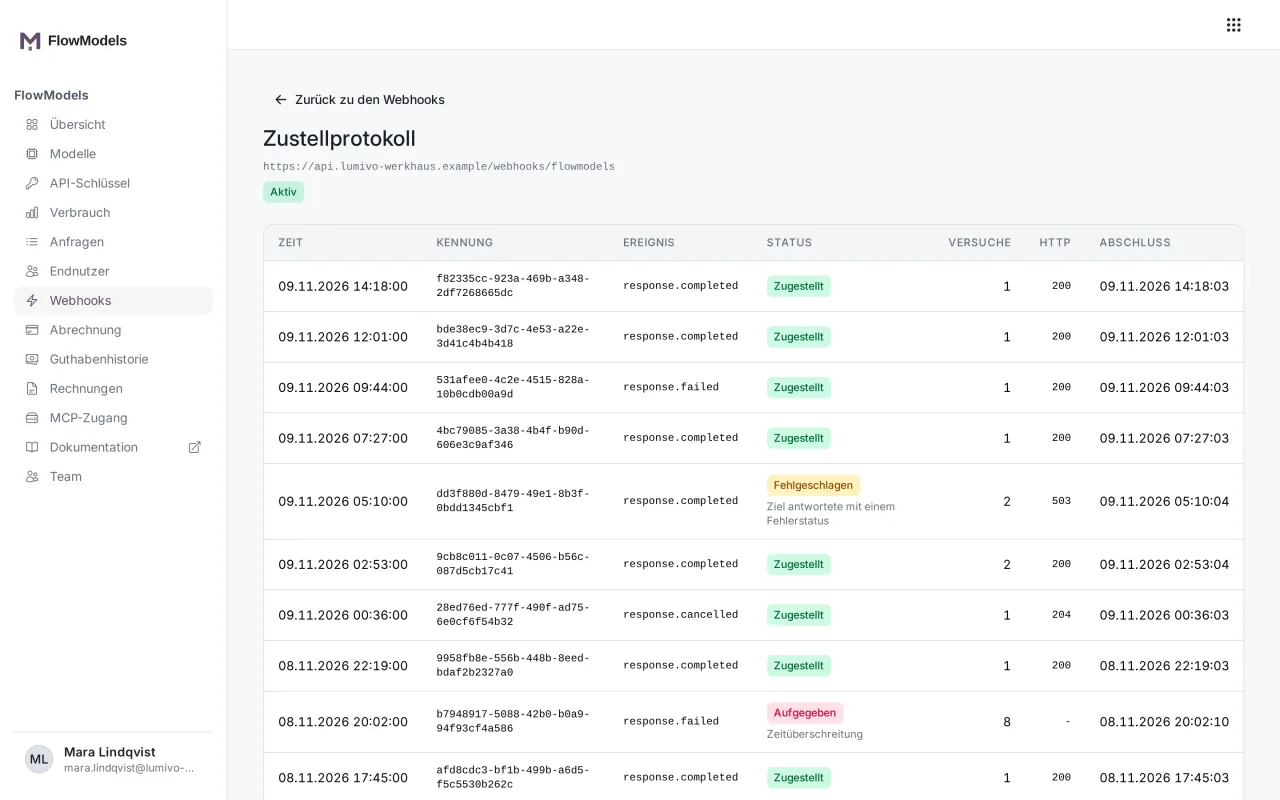
Open Webhooks in the dashboard and choose Send test delivery for your address. We then send a webhook.test event. In the Delivery log, you can see which HTTP code your server responded with.
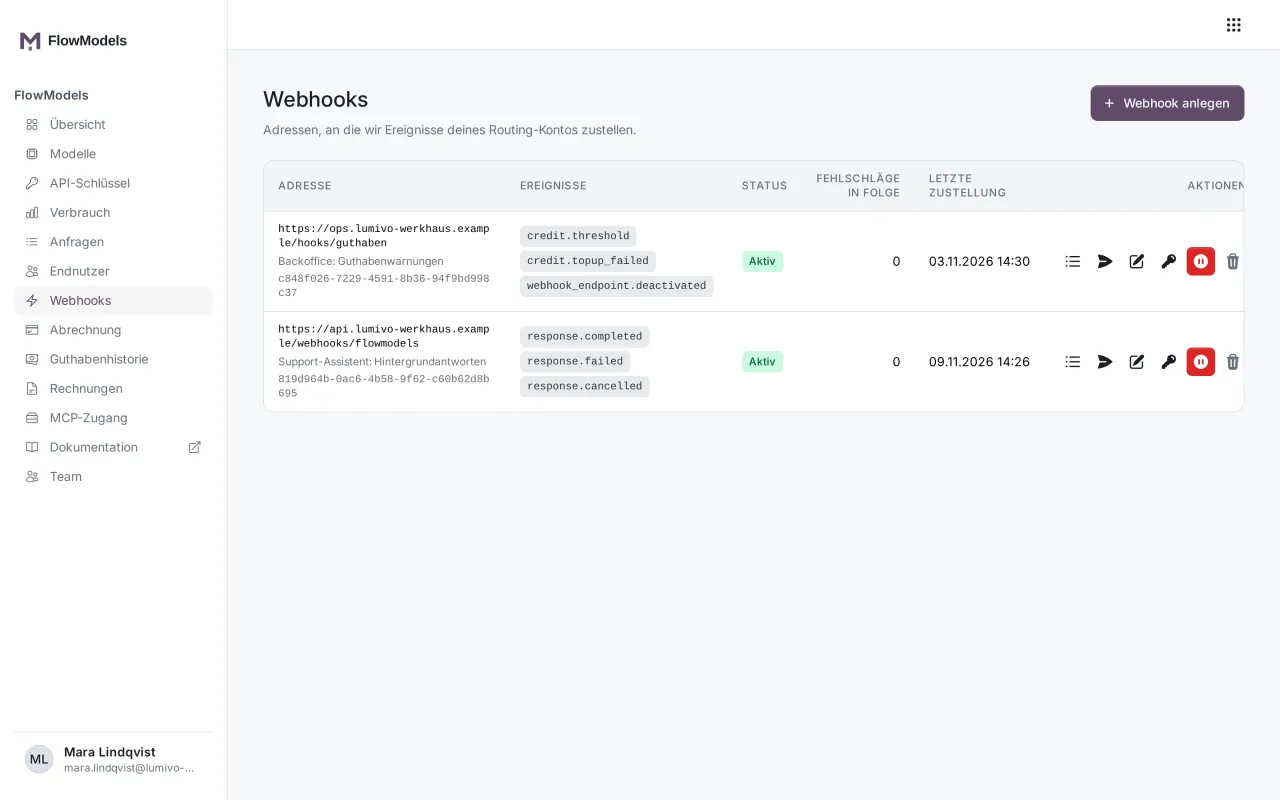
If you've lost the secret, generate a new one with Rotate secret. We show each secret only once.