
Every top-up and all billed FlowModels usage can be traced: you'll find the receipts under Invoices, and every single credit and debit of your balance under Credit history. Both are separate from the invoices for your FlowSuite subscription.
Invoices
Open Invoices in the dashboard. Each row shows the invoice number, the type, the status, invoice date and due date, and the final amount.
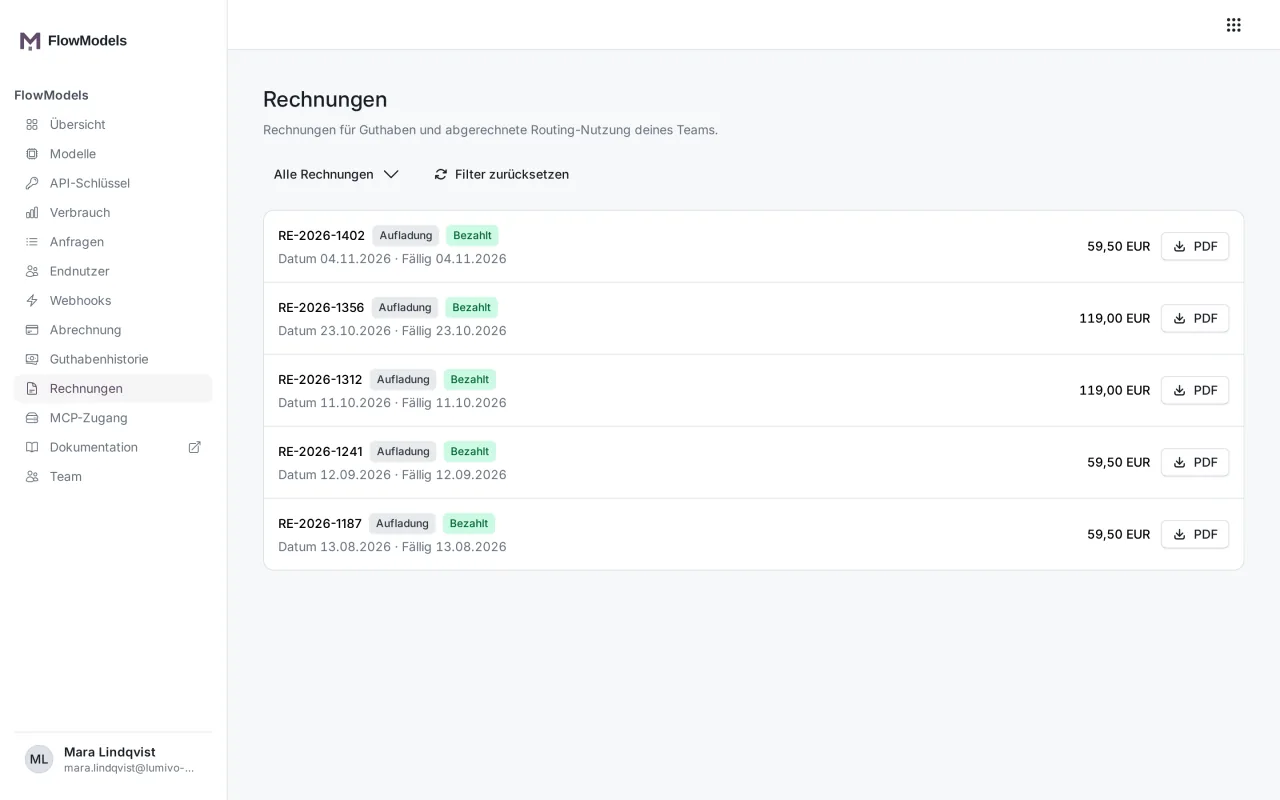
There are two types:
- Top-up: Each credit top-up creates an invoice for the amount topped up.
- Usage: If your team is billed by usage (postpaid), you get a monthly invoice for the billed usage. These invoices also show the billing period.
PDF downloads the invoice. If an invoice is still open and can be paid online, Pay now appears next to it and takes you straight to the payment page.
The All invoices filter shows only Open or only Paid invoices. Once there are invoices from several years, you can also filter by year. Reset filters shows everything again.
You maintain the billing address under Billing in the More details box via Edit billing details.
Credit history
Credit history lists every movement of your credit in euros, newest at the top, with a running Balance:
- Top-up: a paid top-up that increases your credit
- Usage: a billed model call. Reference shows which provider and which model it was.
- Reversal: the reversal of an earlier booking, for example when a payment was returned
- Adjustment: a credit or debit made by support
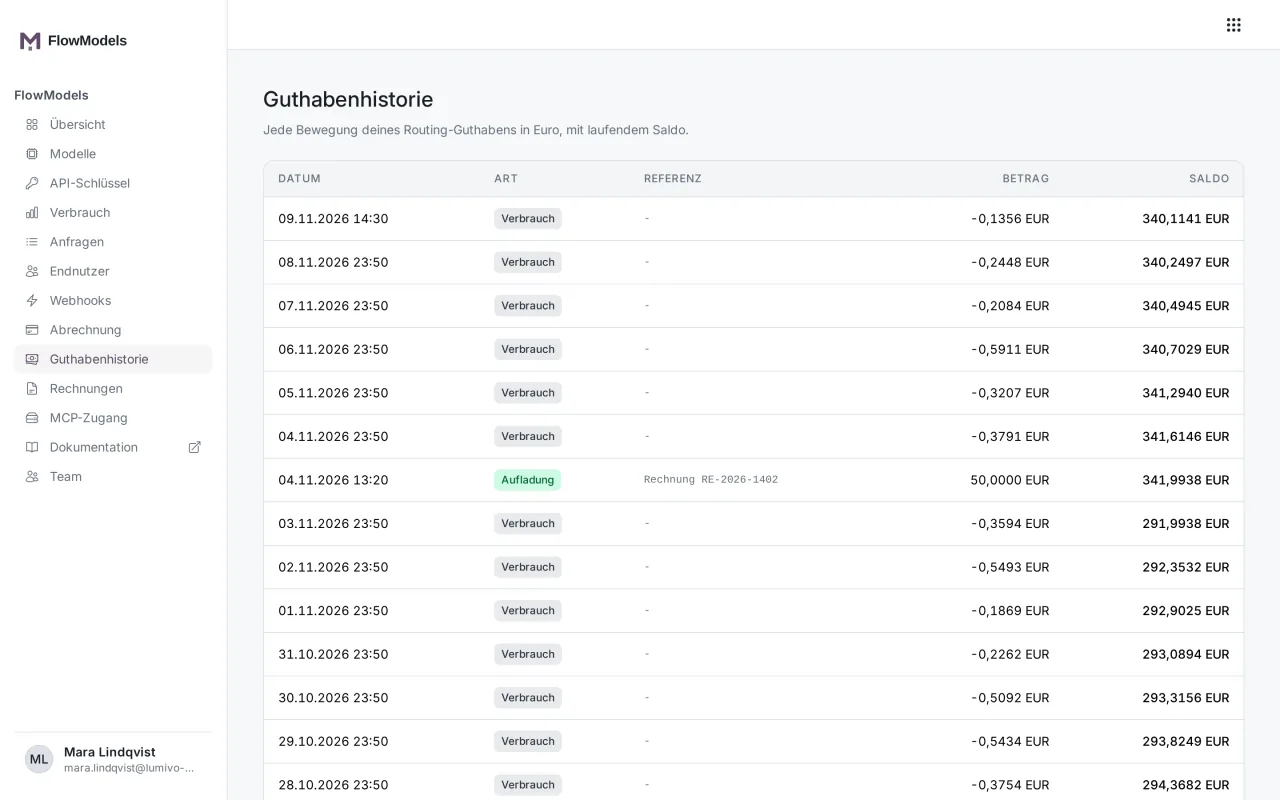
Bookings are never changed afterward. If something needs correcting, a new booking is created. That way, the balance can always be recalculated.
Open reservations
At the top of the page are the Open reservations: amounts set aside for calls that are currently running, with Amount, Key, Model and Age. They reduce your available credit until the call is billed. After that, the reservation disappears and the booking with the actual amount appears in the history. It's usually smaller than the reservation, because we estimate cautiously.
A reservation is normally done within seconds or a few minutes. If a reservation stays in the list for a suspiciously long time, contact support. We'll then clarify whether the call took place.
Good to know
- With postpaid, the menu item is called Movements instead of Credit history. Usage that's billed by invoice is marked "on invoice" there. More on this in Prepaid or postpaid: how FlowModels is billed.
- Add credit and top up automatically explains how to add credit.