
FlowModels is billed by usage in euros. There are two models for this: prepaid, where you add credit in advance, and postpaid, where you get an invoice every month. You can see which model applies to your team under Billing at the top right, in the Credit or Usage box.
Prepaid: the default
Every team starts in prepaid mode with €0 credit.
- You add credit, at least €20 per top-up, automatically if you like.
- Each model call is paid from the credit. An amount is reserved before the call, and the actual usage is debited afterward.
- If no more credit is available, the API rejects further calls until you top up again.
- You get an invoice for each top-up. The amount topped up is the final amount, no additional taxes are added.
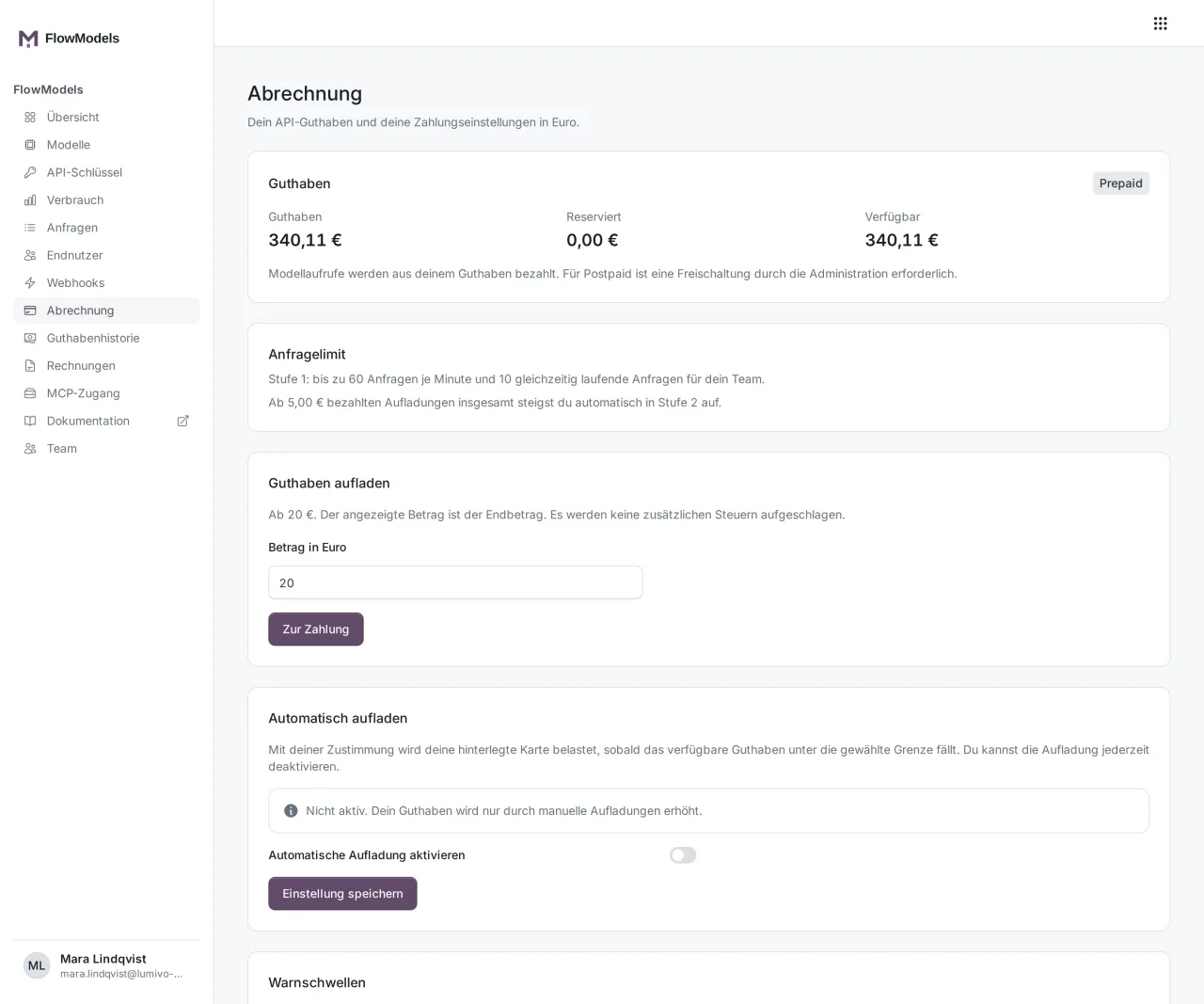
Prepaid suits most teams: you keep full control of costs and can never spend more than you've topped up. The details are in Add credit and top up automatically.
Postpaid: billing by invoice
Postpaid is intended for teams with regular, larger usage. You can't turn it on yourself, our team enables it on request.
- Your team gets a Credit line. Up to this amount, you can use models without topping up first. On first activation, €50 is preset, and our team can adjust the line per team.
- At the end of the month, you get an invoice for the usage. If you still have credit from your prepaid time, it's used up first. Only what isn't covered by credit is charged.
- Under Billing, instead of the credit you see the Total outstanding, the Reserved amounts and what is Still within the line, plus a bar showing how much of the credit line is used.
- Postpaid teams go straight to the highest request limit tier when they switch.
- In postpaid mode, you aren't offered a credit top-up. If you store a credit card, the monthly invoice is paid with it, otherwise by bank transfer.
If the credit line is used up, the API rejects further calls. The line becomes free again as soon as an invoice is paid. Changes to the credit line go through support.
What's the same in both models
- The prices per model, see FlowModels models and prices.
- Monthly limits per key and the team's spending limit, see Set up a spending limit and warning thresholds.
- Warning thresholds by email, app and webhook.
- You'll find all invoices under Invoices and all bookings under Credit history. In postpaid mode, this item is called Movements. See FlowModels invoices and credit history.
Good to know
- FlowModels doesn't need a FlowSuite subscription. Billing is independent of your FlowSuite plan and of the FlowAI chat.
- If you see the notice Access suspended under Billing, all of your team's calls are temporarily blocked. In this case, contact support.