
Under Usage, you can see how many model calls your team has made, how many tokens were processed and what that cost. The figures can be filtered by key, model, end user and period and downloaded as a CSV file, for example for your own cost center accounting.
The API usage page
Open Usage in the dashboard. The page has three parts:
- At the top are Credit, Reserved and Available, the same state as under Billing.
- Below that, Daily history shows the Provider calls as bars and the Cost in euro as a line.
- The table summarizes everything per Model, with Provider calls, Tokens and Amount.
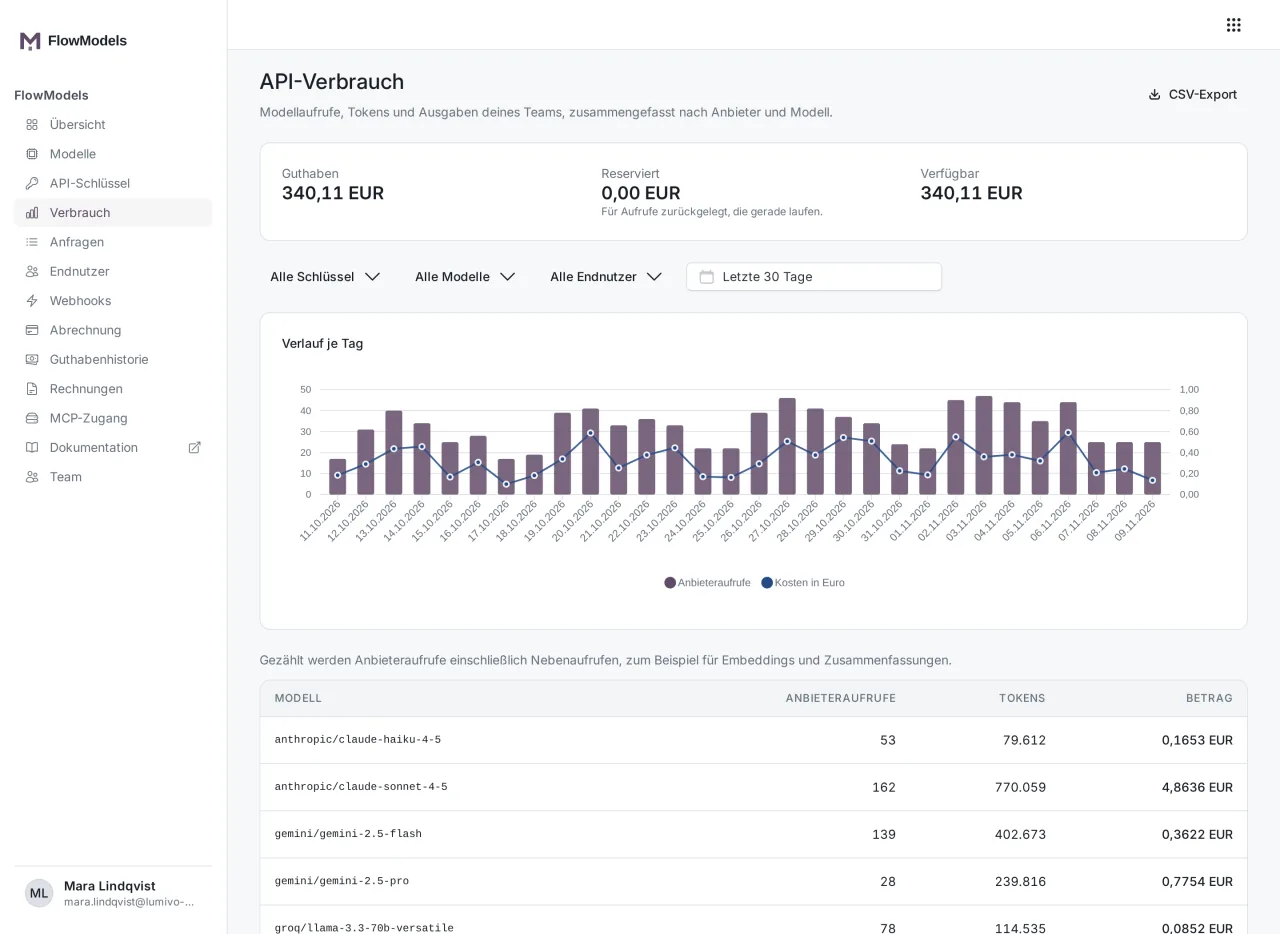
The count includes provider calls and side calls, for example for embeddings and summaries. A request from your application can therefore trigger more than one provider call.
Filtering
There are four filters above the chart:
- All keys: usage of a single API key, including one that has since been revoked.
- All models: only one specific model.
- All end users: only the calls of one end user of your application, see Manage the end users of your application.
- Period: the default is the last 30 days. Use the calendar field to choose a different period.
The filters apply to the chart and the table at the same time. They're also part of the address bar, so you can save or share a filtered view as a link. The person opening the link needs their own access to FlowModels in your team, of course.
Export as CSV
- Set the filters the way you need the data.
- Click CSV export at the top right.
- The download starts right away.
The file contains the same data as the view, split by day, with the columns Date, Key, End user, Model, Provider, Calls, Prompt tokens, Completion tokens and Cost EUR. Prompt tokens are the tokens you send to the model, completion tokens the ones the model returns.
The download link is only valid for a few minutes and for a single download. If you need the file again, simply click CSV export again.
Reading the amounts correctly
- Not billed or Estimate, not billed: There is no final price for these calls yet. They aren't included in the totals.
- Price not yet available: The price is added as soon as it's set.
- A row may also show a note such as "3 calls without a final price". This isn't an error, it only shows that some of the amounts are still pending.
Good to know
- If you want to see each individual request instead of totals, use the request log.
- You can also see a key's usage in the current month directly in the list under API keys in the Usage column.
- Your application can fetch the same figures via
GET /v1/usage. A key with the Manage keys permission is enough for that.