
Normally, your application sends the entire chat history so far with every request. With the FlowModels Brain, you don't have to. You only specify which end user the request is for and which conversation you're continuing. We add that person's history, memories and documents ourselves.
Without and with the Brain
- Without
external_identifier, the history belongs to you. You send all the necessary messages yourself, and we don't store any conversation history. - With
external_identifier, you turn on the Brain. We store the conversation, draw on that person's relevant memories and file sections, and fit the context to the model's input window.
Both work with /chat/completions and /responses, including with streaming.
The first message
{
  "model": "groq/openai/gpt-oss-120b",
  "external_identifier": "customer-1042",
  "messages": [{"role": "user", "content": "I'm planning a relaunch of our website. Where do I start?"}]
}
external_identifier is your own stable identifier for the person, 1 to 255 characters. Even a customer number is sent as text, so "1042" instead of 1042. If we don't know the identifier yet, we automatically create the end user on the first call.
The response also contains the conversation field with a UUID. Store it together with the chat in your application.
Continue the conversation
With the next message, send the same identifier, the conversation and only the new message:
{
  "model": "groq/openai/gpt-oss-120b",
  "external_identifier": "customer-1042",
  "conversation": "018f1234-5678-7abc-9def-0123456789ab",
  "messages": [{"role": "user", "content": "Give me three concrete next steps for that."}]
}
If you send the old history anyway, it ends up in the context twice. That costs more tokens and confuses the model. If you leave out conversation, a new conversation with the same end user begins. Their memories and files are available there as well.
Telling the three identifiers apart
| Identifier | Comes from | Used for |
|---|---|---|
external_identifier |
your system | assigns requests to a person |
End user id |
POST /end-users |
management, files, deletion |
conversation |
the response | continues a specific conversation |
If you want to create an end user in advance, for example to assign documents right away, use POST /v1/end-users with external_identifier and optionally metadata. If the end user already exists, you simply get the existing one back.
What happens with long conversations
If a conversation becomes longer than the model's input window, we summarize older sections and store the summary. The most recent messages are kept word for word. Each section is summarized and paid for only once. These summaries also count toward your usage. More on this in History too long: context_length_exceeded and history compaction.
End users in the interface
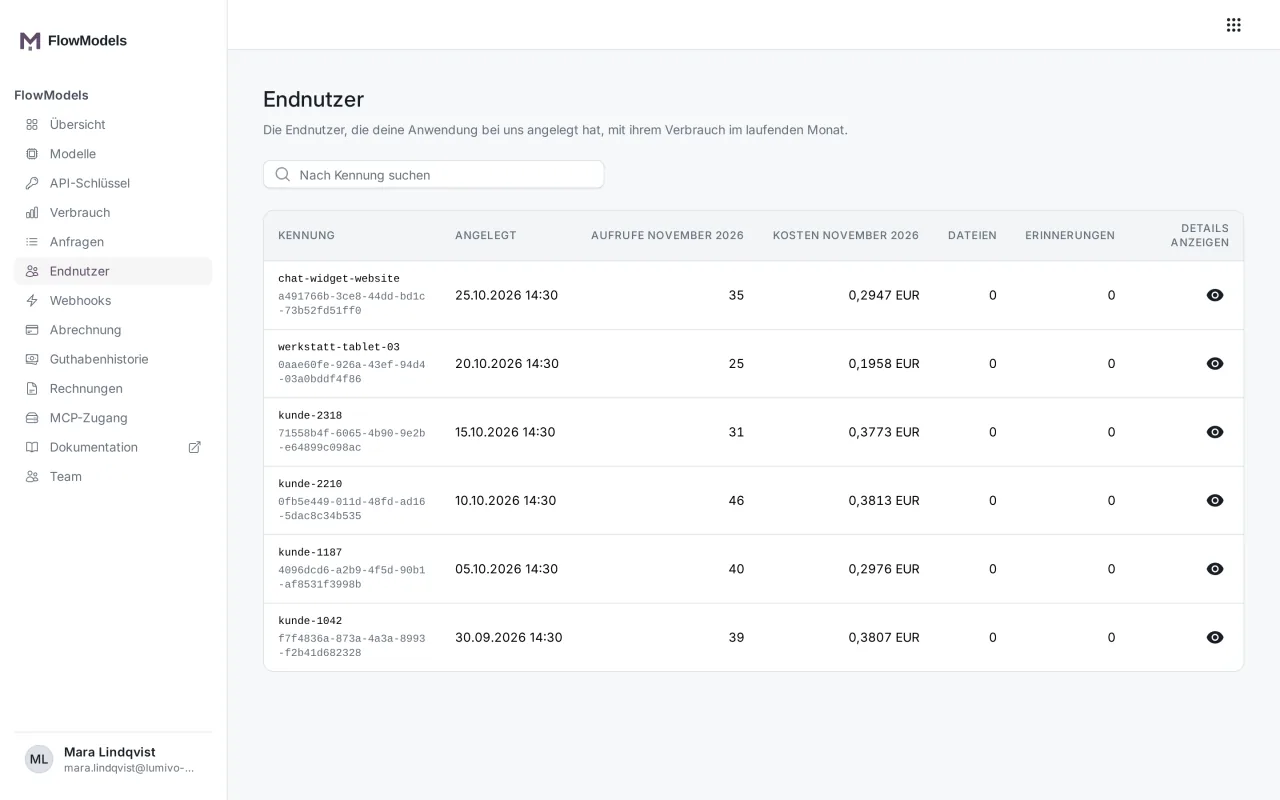
Under End users, you can see all end users with their identifier, the calls and costs in the current month, and the number of their files and memories. Manage the end users of your application explains how to use the list.
Automatic memories
The Brain automatically remembers important details from conversations as memories, such as "prefers short answers". This is on for new end users. You can turn it off per end user with PATCH /end-users/{id} and "memory_extraction_enabled": false. Create, search and change an end user's memories via API explains how to create and edit memories yourself.
If something goes wrong
404 conversation_not_found: Theconversationdoesn't exist or belongs to a different end user. Check that you're sending the right combination ofexternal_identifierandconversation.409 conversation_in_progress: A request is already running for the same conversation. Wait for its response before sending the next one.- The Brain doesn't remember anything: Check that you're really sending
external_identifierin the JSON body. In the Python library, it goes inextra_body. Theuserfield isn't enough. It only serves abuse tracking and doesn't turn on the Brain.
Good to know
Use a neutral ID from your system as the identifier, not an email address or a name. That way, personal data stays with you.