
Your application can check for itself whether there's still enough credit and which limits apply to the key in use. There are two endpoints for this: GET /credits for your team's credit and GET /key for the key. Neither costs anything or calls a model.
Which key works?
Both endpoints work with keys that have the Use AI or Manage keys permission. For a monitoring script, it's best to use a separate management key. It can read credit and usage, but can't call models.
Fetch credit: GET /credits
curl https://api.flowmodels.one/v1/credits \
  -H "Authorization: Bearer at_your_key"
{
  "object": "credit_balance",
  "currency": "EUR",
  "billing_mode": "prepaid",
  "balance_micro_eur": 20000000,
  "reserved_micro_eur": 1000000,
  "available_micro_eur": 19000000,
  "outstanding_micro_eur": 0,
  "postpaid_limit_micro_eur": 0,
  "spendable_micro_eur": 19000000,
  "reserved_oldest_at": "2026-11-05T08:15:00+00:00"
}
All amounts are in micro-euros: 1,000,000 micro-euros are €1. In the example, there is €20 of credit, €1 is reserved for running calls and €19 is available.
| Field | Meaning |
|---|---|
balance_micro_eur |
your credit |
reserved_micro_eur |
set aside for running calls |
available_micro_eur |
credit minus reservations |
outstanding_micro_eur |
open, unpaid usage with postpaid |
postpaid_limit_micro_eur |
your credit line, if postpaid is enabled |
spendable_micro_eur |
what you can still spend in total, including the credit line |
billing_mode |
prepaid or postpaid |
reserved_oldest_at |
time of the oldest open reservation or null |
For the question "Can my application keep working?", spendable_micro_eur is the right value. If a reservation hangs for a very long time, meaning many hours, that's something we need to look into. Contact support in that case.
You can see the same values in the interface under Billing in the Credit section with Credit, Reserved and Available.
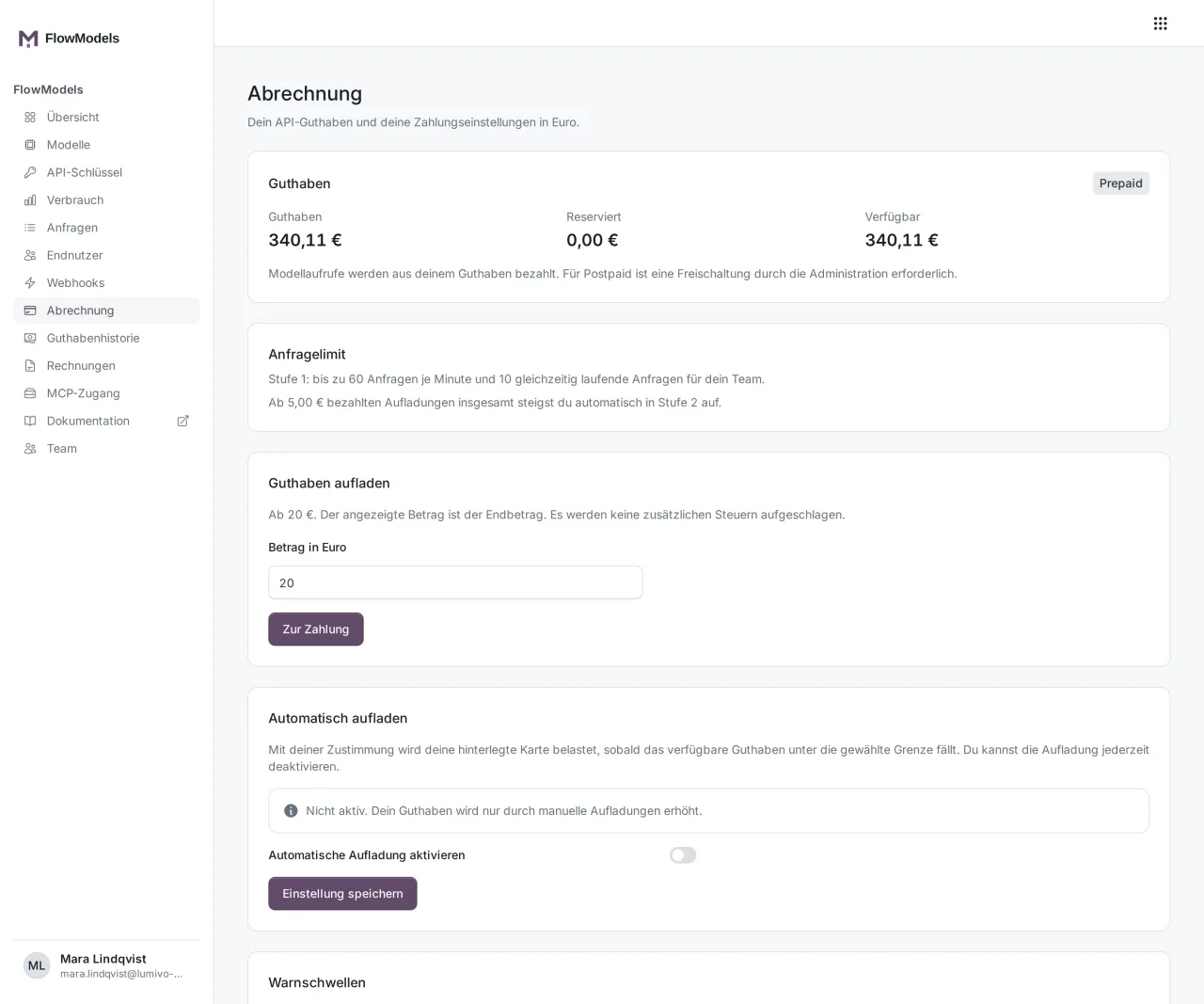
You can only top up in the interface, not through the API, see Add credit and top up automatically. Prepaid or postpaid explains what prepaid and postpaid mean.
Check the key: GET /key
GET /v1/key describes exactly the key you're querying with:
name,uuid,kindandstatuscreated_at,last_used_atandexpires_atlimits.spending.monthly_limit_micro_eur: the key's monthly limit,nullwithout a limit of its ownlimits.requests.tierandlimits.requests.per_minute: your tier and the requests per minute that apply to this key. If the key has its own, lower request limit, this value is shown here.limits.concurrency.max_concurrent_requests: how many requests your team can run at the same timelimits.payload: the size limits of a single request
This call never shows the key value itself or other keys of your team.
Get notified instead of polling
Instead of checking the credit regularly, you can also get notified. Set up warning thresholds, see Set up a spending limit and warning thresholds, and subscribe to the credit.threshold webhook event, see Set up FlowModels webhooks. FlowModels then notifies your server as soon as a threshold is reached.
Good to know
- These queries also count toward your per-minute request limit. A query every few minutes is plenty for monitoring.
- A top-up doesn't increase a key's monthly limit. Once it's reached, you get
429 spend_limit_exceeded, even ifspendable_micro_eurstill shows credit.