
FlowModels lets you integrate AI models from OpenAI, Anthropic, Google Gemini, xAI and other providers directly into your own application. You don't need a FlowSuite subscription for this: the API has its own credit in euros and is billed by usage. You can make your first call in three steps.
FlowModels is aimed exclusively at businesses and self-employed professionals. That's why you confirm with every manual top-up and when setting up automatic top-up that you use FlowModels for commercial or independent professional purposes.
Open the dashboard
Sign in at flowmodels.one/dashboard. If you don't have an account yet, create one on flowmodels.one under Create account. As the team owner, you have access automatically. Other team members need their own access, which you grant under Team.
As long as your team has never called the API, the Overview shows you the Three steps to your first call box.
Step 1: Create a key
Click Create key. For model calls, choose the Use AI permission, give the key a name and create it. The full key is shown exactly once, so copy it right away. All the settings are covered in Create API keys: permission, limit and validity.
Step 2: Add credit
Without available credit, the API rejects every model call. Click Add credit and top up at least €20 under Billing. The details are in Add credit and top up automatically.
Step 3: Send your first call
The API is compatible with OpenAI's Chat Completions format, so many existing libraries work once you swap the base URL and the key. A minimal call with curl looks like this:
curl https://api.flowmodels.one/v1/chat/completions \
  -H "Authorization: Bearer at_your_key" \
  -H "Content-Type: application/json" \
  -d '{"model": "openai/gpt-5.6-luna", "messages": [{"role": "user", "content": "Hello"}]}'
Replace at_your_key with your key. Always send the key in the Authorization: Bearer header, never as a URL parameter or in the request body.
Specify the model by its full identifier made up of provider and model, for example openai/gpt-5.6-luna. You can see which models are enabled and what they cost under Models, see FlowModels models and prices. You can also fetch the list with GET /v1/models.
After the first call
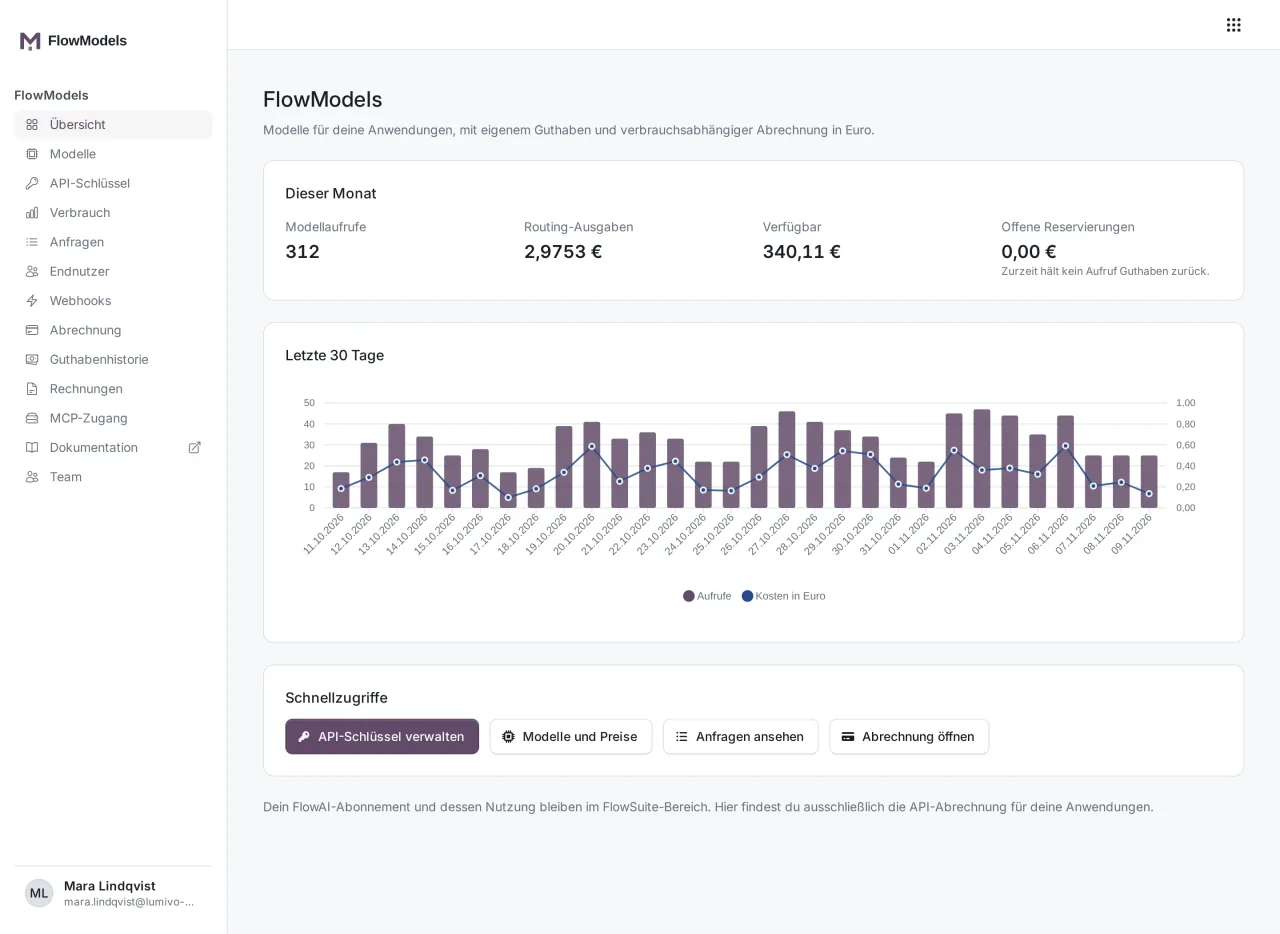
Once your team has used the API, the Overview shows the figures for the current month instead of the three steps: Model calls, Routing spend, the Available amount and Open reservations. Below that, a chart shows calls and costs for the last 30 days.
Good to know
- You can reach the full technical documentation with all endpoints via Documentation in the sidebar or directly at flowmodels.one/en/docs.
- Your FlowAI subscription for the chat in FlowSuite stays separate. FlowModels has its own keys, its own credit and its own invoices, see FlowModels or FlowAI chat.
- If something goes wrong, keep the
flowai_request_idfrom the response. Support can use it to find your exact request. More on this in Understanding FlowModels error messages.